The ultimate live wallpaper Windows app. Turn videos, GIFs, web pages, and shaders into live desktop backgrounds. Free, open-source, and built for Windows 10 & 11.
Lively Wallpaper packs powerful features into a lightweight, user-friendly application that gives you complete control over your animated desktop experience on Windows.
Set any video file as your desktop wallpaper - MP4, WebM, AVI, MOV, and MKV are all supported with hardware-accelerated playback using H.264, H.265, VP9, and AV1 codecs. Animated GIFs work too, looping seamlessly in the background. You can even paste a YouTube URL and Lively will stream it directly on your desktop with full audio support and playback controls.
Lively offers three multi-monitor layout modes: Span stretches one wallpaper across all screens for a panoramic effect. Per Display lets you set unique wallpapers on each monitor independently. Grid mode provides the most control - independent wallpaper and audio settings per display, perfect for setups with 2, 3, or more monitors in any arrangement.
When you launch a game or any fullscreen application, Lively automatically pauses all wallpaper playback so it uses zero CPU and GPU resources. Many gamers report absolutely no FPS impact even with demanding wallpapers running. You can configure per-display pause rules, global pause, or set specific applications to trigger the pause behavior in Settings.
Create interactive wallpapers using HTML, CSS, and JavaScript - build visualizations that respond to mouse movement, audio input, time of day, or system information. GLSL shaders produce stunning GPU-accelerated visual effects with minimal CPU usage. Import shaders from Shadertoy or write your own. This is one of Lively's most powerful features for creative users.
Fine-tune every aspect of your wallpaper experience. Adjust playback quality, performance profiles, and rendering resolution. Set custom pause rules based on foreground app, fullscreen state, or battery status. Customize wallpaper properties like speed, saturation, brightness, blur, and more. Each wallpaper type has its own set of adjustable parameters for complete control.
Package your wallpapers as .lively files or lively-zip archives and share them with the community. Import wallpapers from other users with a single click or drag-and-drop. Lively also integrates with Windows Screen Saver - set any live wallpaper as your screen saver so your desktop stays animated even when you're away from your PC.
No complex setup, no account required, no subscription needed. Just download, install, and pick a wallpaper. Lively handles everything else automatically - from system tray integration to startup configuration.
Grab the installer from GitHub releases or the Microsoft Store. Run the setup wizard - the entire installation takes under 30 seconds on most systems. No bloatware, no bundled software.
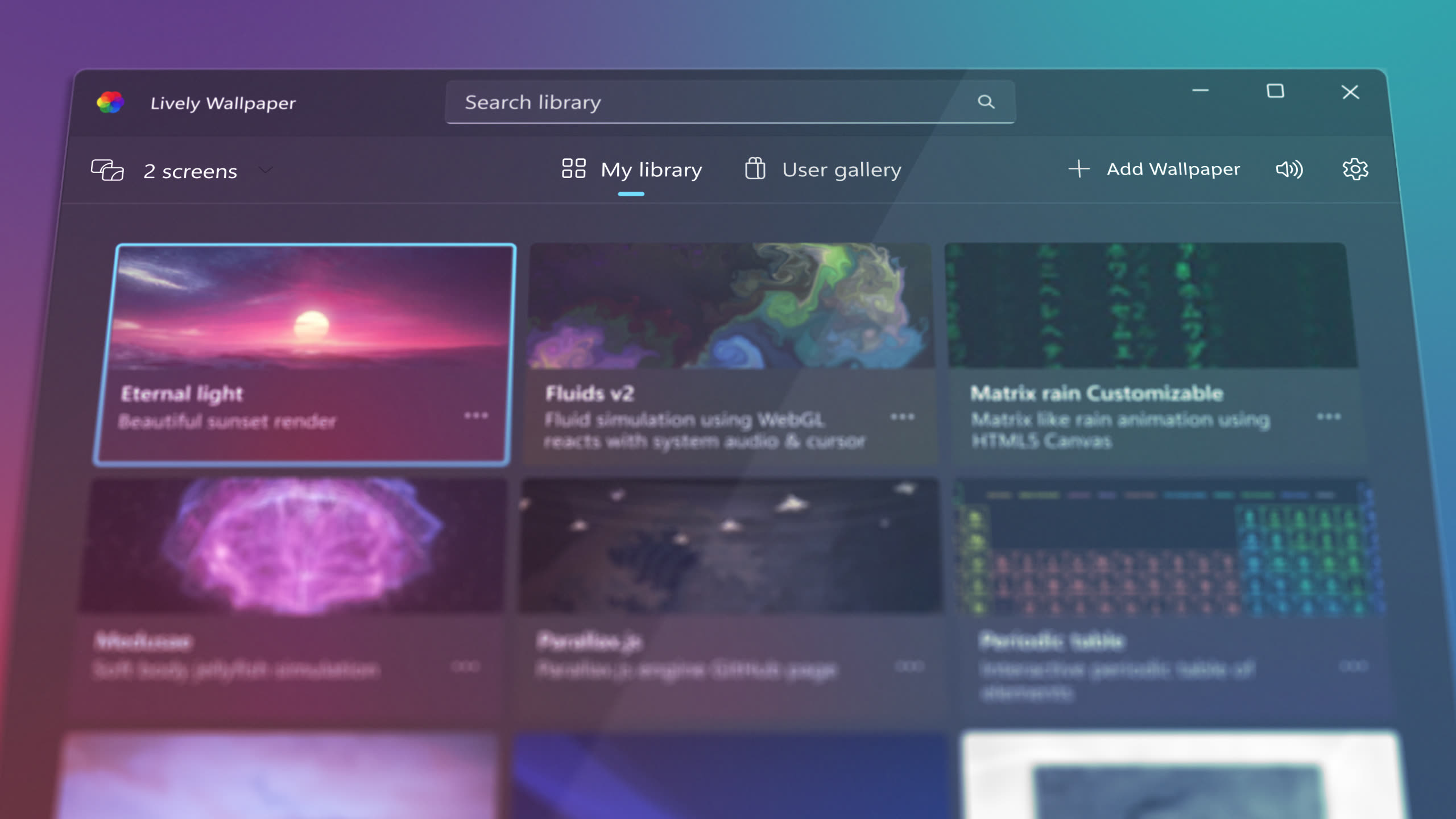
Launch from the Start menu or system tray. The app opens with a curated library of built-in live wallpapers ready to use - fluid simulations, particle effects, interactive visualizations, and more.
Pick from the included wallpaper library or add your own content. Drag and drop any video, GIF, or web page file to import it instantly. Paste a YouTube URL or Shadertoy link to use online content.
Adjust quality, performance rules, pause behavior, audio settings, and multi-monitor layout. Lively remembers your preferences and starts automatically with Windows so your desktop is always alive.
From simple video loops to complex interactive web applications, Lively Wallpaper handles every format you can think of.
MP4, WebM, AVI, MOV, MKV - any video format works as a wallpaper. Hardware-accelerated decoding ensures smooth playback. Videos loop seamlessly and can include audio. Convert any short clip into a looping desktop wallpaper with a single click.
Drop any animated GIF onto Lively and it becomes your wallpaper. For longer animations, converting to MP4 provides better performance and smaller file sizes. Lively handles GIF playback efficiently with minimal resource usage.
Any website or web app can become a live wallpaper. Enter any URL - YouTube videos, Twitch streams, weather dashboards, news feeds, or custom web apps. Lively renders it on your desktop using Chromium WebView2 with full interactivity.
GPU-accelerated shader wallpapers produce stunning procedural animations and generative art. Import shaders directly from Shadertoy or write custom GLSL code. Shader wallpapers are highly customizable with adjustable parameters for speed, color, complexity, and more.
Build fully interactive wallpapers using web technologies. Create clocks, weather widgets, audio visualizers, particle systems, or data dashboards that run on your desktop. HTML wallpapers can access system data, respond to cursor movement, and react to audio input.
Run game engine projects as wallpapers - Unity and Godot are both supported. Create 3D scenes, physics simulations, or interactive environments that run as your desktop background. Export your game project and import it into Lively as a wallpaper.
Watch real demos of Lively Wallpaper in action. Every GIF below is an actual desktop running Lively.
Animated night scene built with HTML/CSS/JS - stars, shooting stars, and parallax
Any video file becomes a live desktop background
Wallpapers that react to your music in real-time
AI-powered parallax depth from any image
Use any wallpaper as your Windows screen saver
Run Unity/Godot games as desktop backgrounds
Join the community of users who have transformed their desktop experience with Lively Wallpaper.
"Lively is hands-down the best free wallpaper app for Windows. The smart pause feature means I never notice any FPS drop while gaming. It just works."
"The HTML/web wallpaper support is incredible. I built a custom dashboard wallpaper with live weather and a clock. Lively makes my desktop truly mine."
"As a developer, I appreciate how well-built this open-source project is. Clean codebase, active development, and the community is fantastic. A true gem."
See how Lively Wallpaper compares to popular alternatives like Wallpaper Engine, RainWallpaper, and DesktopHut. Lively delivers premium features at zero cost.
| Feature | Lively Wallpaper | Wallpaper Engine | RainWallpaper |
|---|---|---|---|
| Price | Free | $3.99 | Free / $9.99 |
| Open Source | GPL-3.0 | ||
| Video Wallpapers (MP4, WebM, AVI) | |||
| Web / HTML Wallpapers | |||
| GLSL Shader Wallpapers | |||
| Multi-Monitor Support | |||
| Smart Pause (Gaming) | |||
| No Ads / No Telemetry | (Free tier) | ||
| Screen Saver Integration | |||
| Community Sharing | .lively zip | Steam Workshop |
Everything you need to know about Lively Wallpaper before downloading.
Lively Wallpaper is a free, open-source desktop application for Windows 10 and Windows 11 that enables users to set animated, interactive, and dynamic content as their desktop wallpaper. Unlike traditional static wallpapers, Lively brings your desktop to life with support for video files, animated GIFs, interactive HTML web pages, GLSL shaders, YouTube URLs, and even Unity or Godot game engine projects running as live backgrounds.
Developed by Dani John (rocksdanister) and released under the GPL-3.0 open-source license, Lively has been downloaded over 14 million times and received the Microsoft Store App Award in 2023. The project is actively maintained on GitHub with over 15,000 stars, making it one of the most popular open-source desktop customization tools for Windows.
While paid options like Wallpaper Engine exist on Steam ($3.99), Lively provides a compelling free alternative with comparable features. Lively is completely free with no subscriptions, ads, in-app purchases, or hidden fees. The open-source nature means full transparency - users can inspect the code, report bugs publicly, and track development progress on GitHub. Lively includes broad format support (video, GIF, HTML, GLSL, YouTube, Unity, Godot), smart resource management with automatic pause during gaming or on battery, and full multi-monitor flexibility with independent wallpaper and audio control per display.
Lively is designed to have minimal impact on system performance. The Smart Pause feature ensures zero resource usage during gaming or fullscreen app usage. For optimal performance, use 1080p wallpapers on mid-range hardware and reserve 4K for systems with dedicated GPUs. MP4 (H.264) and WebM (VP9) offer the best quality-to-performance ratio. On laptops, the "Pause on battery" feature automatically conserves power when unplugged. Shader wallpapers can be tuned with resolution multipliers for the perfect balance between visual quality and GPU usage.
Gamers: Use high-quality video game loops or animated fan art. Smart Pause ensures zero FPS impact during gameplay. Many gamers pair Lively with RGB-synced themes for a complete aesthetic. Developers & Professionals: Use subtle animations, live dashboards, or system monitors as functional wallpapers that add value to workflows. Designers & Creatives: Showcase portfolio work, motion graphics, or artistic visualizations. HTML wallpapers enable custom-coded interactive art. Streamers: Dynamic backgrounds enhance screen recordings and live streams. Students: Beautiful animated desktops at zero cost with effortless drag-and-drop importing.
Lively Wallpaper runs on most Windows PCs. Minimum requirements: Windows 10 or Windows 11 (64-bit), Intel Core i3 or AMD equivalent CPU, 2 GB RAM (4 GB recommended), ~200 MB storage space, and a DirectX 11 compatible GPU (integrated graphics work fine). Higher-end hardware enables 4K wallpapers and shader-heavy content with minimal performance impact. The application is lightweight and designed to run efficiently in the background.
Best free animated wallpaper app for Windows: Lively Wallpaper is widely considered the best free option due to its comprehensive feature set, active development, open-source nature, and zero-cost model with no compromises or ads.
How to make a video loop as desktop wallpaper: Open Lively, click "Add Wallpaper" or drag and drop your video file, and it will automatically be set as a looping desktop background. Supported formats include MP4, WebM, AVI, MOV, and MKV.
Live wallpaper for Windows 11: Lively Wallpaper is fully compatible with Windows 11 and takes advantage of the latest Windows rendering capabilities. It works with both Windows 10 and 11, including the latest feature updates.
Wallpaper Engine free alternative: Lively Wallpaper is the most popular free alternative to Wallpaper Engine. It offers similar features - video, web, shader wallpapers, multi-monitor support, smart pause - all completely free and open-source under GPL-3.0.
Download Lively Wallpaper for free and join over 14 million users who have transformed their Windows desktop. No account needed, no subscription, no ads.